A what if?
2026
A what if?
2026
Context
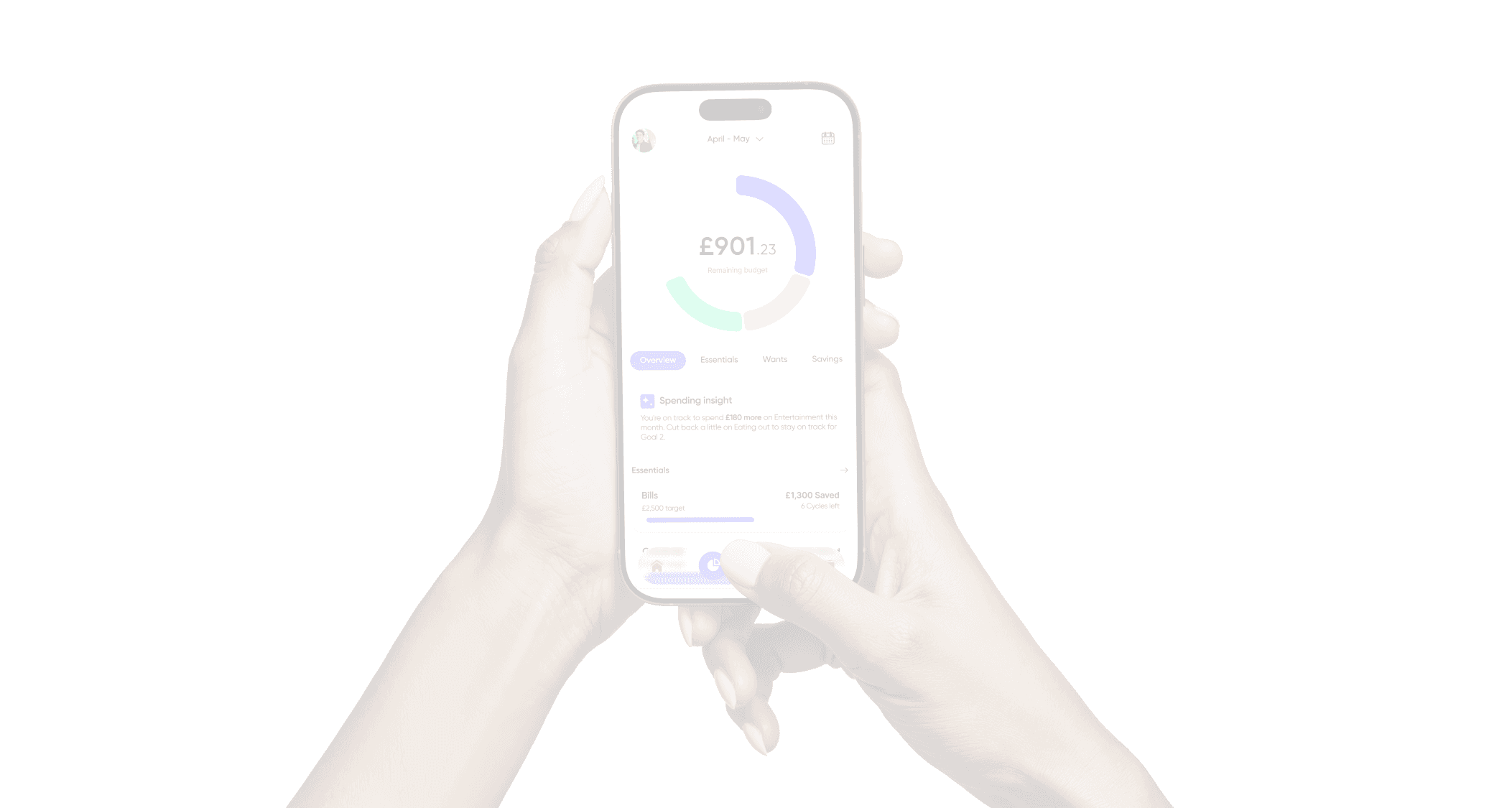
I revisited a budgeting tool I originally worked on in a previous role, reimagining it to better reflect my current design approach. This iteration focuses on elevating both UI craft and UX rationale. Refining the visual hierarchy, accessibility, and brand expression while exploring a bolder, more engaging aesthetic.
Deliverables & Objectives
quickly identify spending habits
AI integration
User problem statemements
Problem 1 - Information Overload
Users feel overwhelmed by the amount of financial information presented. They struggle to identify what’s relevant or actionable, with key insights buried under dense data. This makes it hard to stay motivated or confident in managing their budgets.
Problem 2 - Ineffective AI Support
Users are frustrated with AI tools that feel detached from their real needs. They want integrated, supportive AI experiences that not only surface insights but also help them understand their patterns and make meaningful, effective financial changes.
User problem statemements
Problem 1 - Information Overload
Users feel overwhelmed by the amount of financial information presented. They struggle to identify what’s relevant or actionable, with key insights buried under dense data. This makes it hard to stay motivated or confident in managing their budgets.
Problem 2 - Ineffective AI Support
Users are frustrated with AI tools that feel detached from their real needs. They want integrated, supportive AI experiences that not only surface insights but also help them understand their patterns and make meaningful, effective financial changes.
Solution
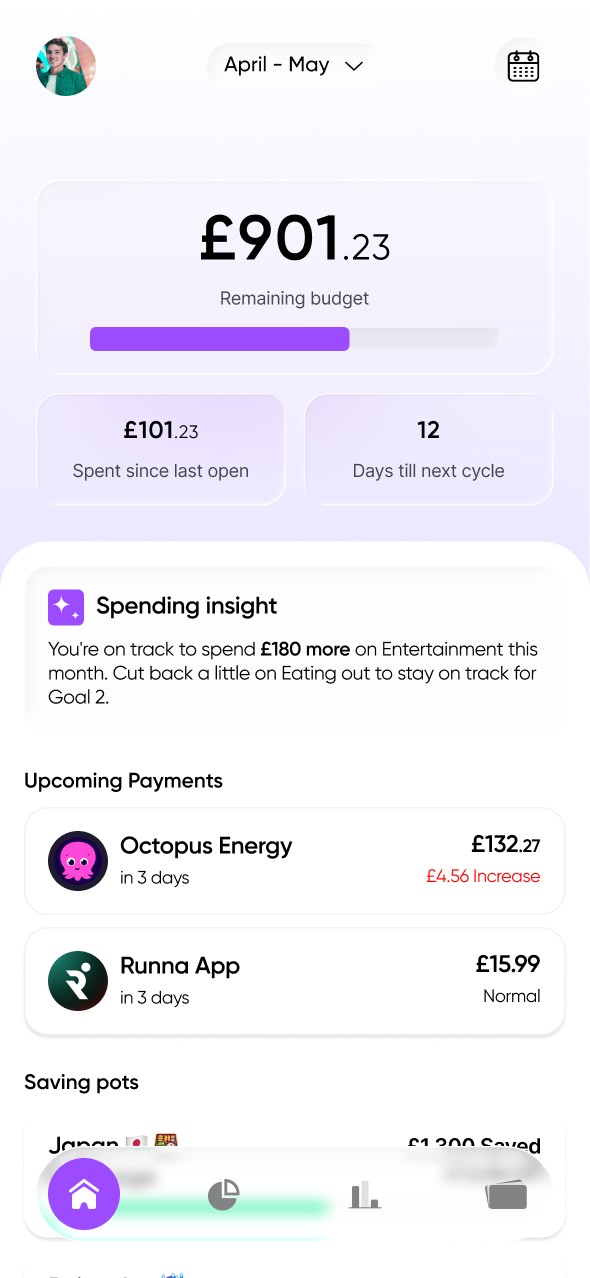
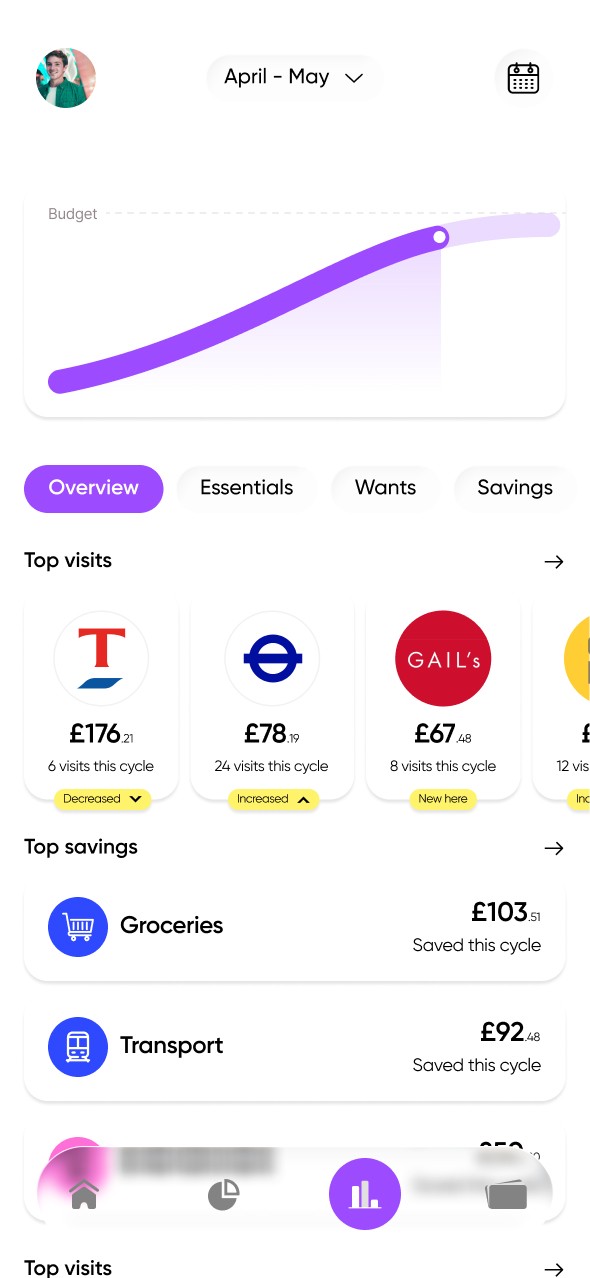
Key finanicial snapshots above the fold
Surface essential insights early. Placing quick‑view summaries of balances, spending, and key trends above the fold gives users an immediate sense of their financial health. Paired with concise, actionable insights, this layout helps users quickly identify where to focus without being overwhelmed by data exploration.
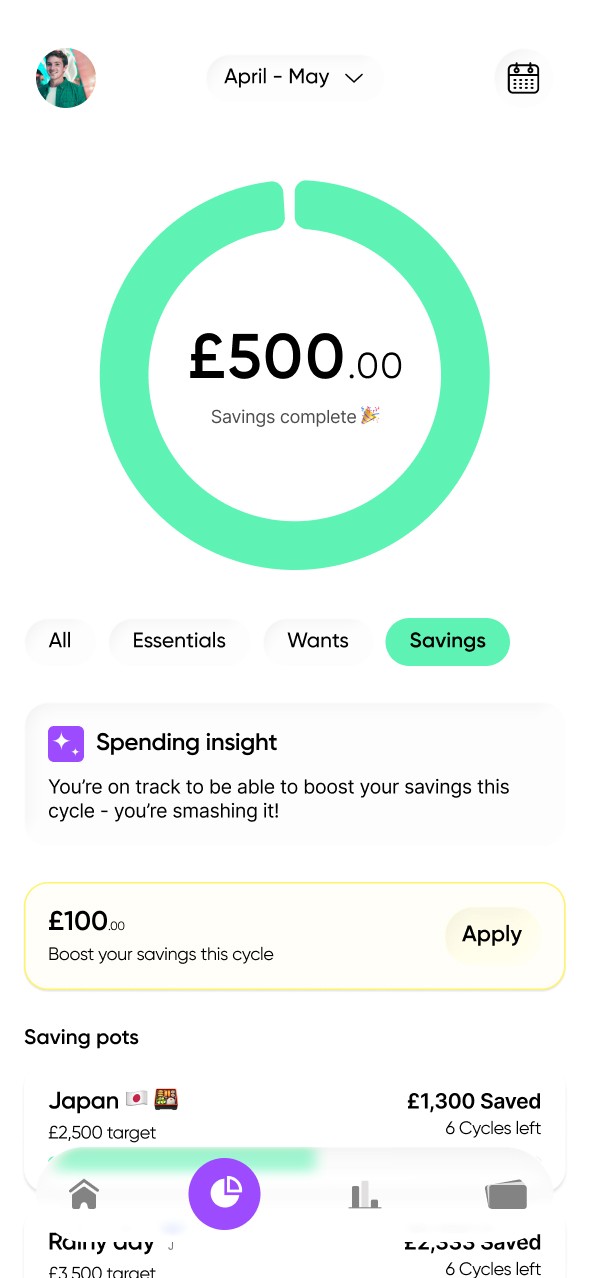
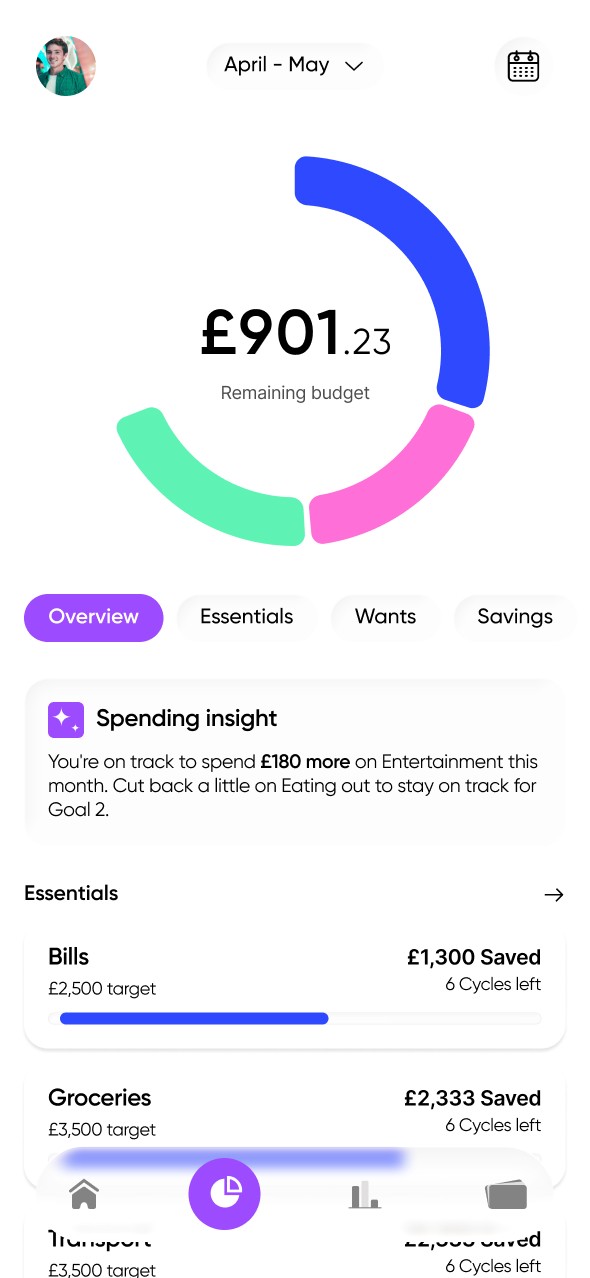
Visual Harmony and Readability Through Colour
Introduce bold, coordinated colours across the pie chart and budget progress bars to create consistent visual mapping. Users can instantly connect categories between data views, improving comprehension and reducing the need for explanatory text. This approach keeps the interface clean while strengthening visual storytelling.
Focused Single‑Tap Actions with Accent Feedback
Empower users to take quick actions, such as adding a budget, editing a goal, or analysing a category, through single‑tap interactions. Use accent colours and subtle motion to highlight action states, ensuring these moments feel intuitive, rewarding, and visually distinct. Interaction should feel fluid and confident, mirroring the energy of the overall design system.
Concise Status Indicators for Spending Habits
Replace lengthy descriptive summaries with short, colour‑coded status pills that capture spending behaviour at a glance. Labels such as “On Track,” “Overspending,” or “Under Budget” provide clarity and speed in comprehension, reinforcing feedback loops without burdening users with more content.
Key finanicial snapshots above the fold
Surface essential insights early. Placing quick‑view summaries of balances, spending, and key trends above the fold gives users an immediate sense of their financial health. Paired with concise, actionable insights, this layout helps users quickly identify where to focus without being overwhelmed by data exploration.
Visual Harmony and Readability Through Colour
Introduce bold, coordinated colours across the pie chart and budget progress bars to create consistent visual mapping. Users can instantly connect categories between data views, improving comprehension and reducing the need for explanatory text. This approach keeps the interface clean while strengthening visual storytelling.
Focused Single‑Tap Actions with Accent Feedback
Empower users to take quick actions, such as adding a budget, editing a goal, or analysing a category, through single‑tap interactions. Use accent colours and subtle motion to highlight action states, ensuring these moments feel intuitive, rewarding, and visually distinct. Interaction should feel fluid and confident, mirroring the energy of the overall design system.
Concise Status Indicators for Spending Habits
Replace lengthy descriptive summaries with short, colour‑coded status pills that capture spending behaviour at a glance. Labels such as “On Track,” “Overspending,” or “Under Budget” provide clarity and speed in comprehension, reinforcing feedback loops without burdening users with more content.